Month: September 2026
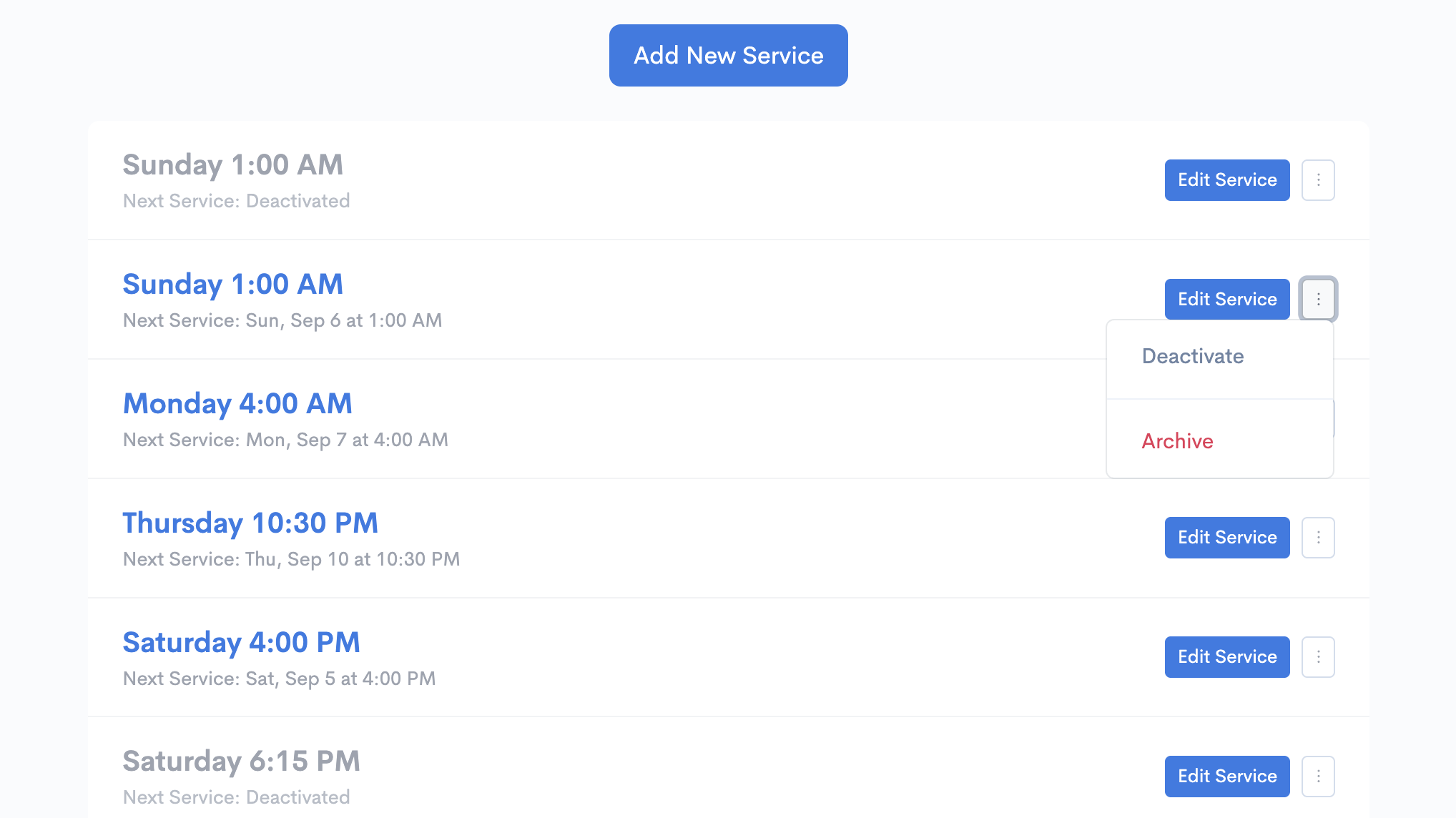
New: Deactivate or Archive Service Times
Lorem ipsum dolor sit amet, consectetur adipiscing elit. Duis nec condimentum quam.

Jay Hughes
Ministry schedules change, so Kidmin App now gives you two ways to remove a service time from check-in without losing its history.
Deactivate a service
Deactivation is best for temporary schedule changes. A deactivated service remains visible in settings and reports, but it won’t be available at desk check-in, kiosks, or in the mobile app.
For example, if your church temporarily combines its 9:00 AM and 11:00 AM services into one 10:00 AM summer service, you can deactivate the regular times and reactivate them when the summer schedule ends.
Archive a service
Archiving is best for service times you no longer regularly use. Archived services are hidden from the main Service Times page, check-in, and future scheduling, but their history and reporting data are preserved.
Flexible options without affecting your data
Both options preserve your existing data and can be reversed later. Looking forward to the Holidays and beyond, we hope this helps make managing check-in schedules more flexible for your ministry.